


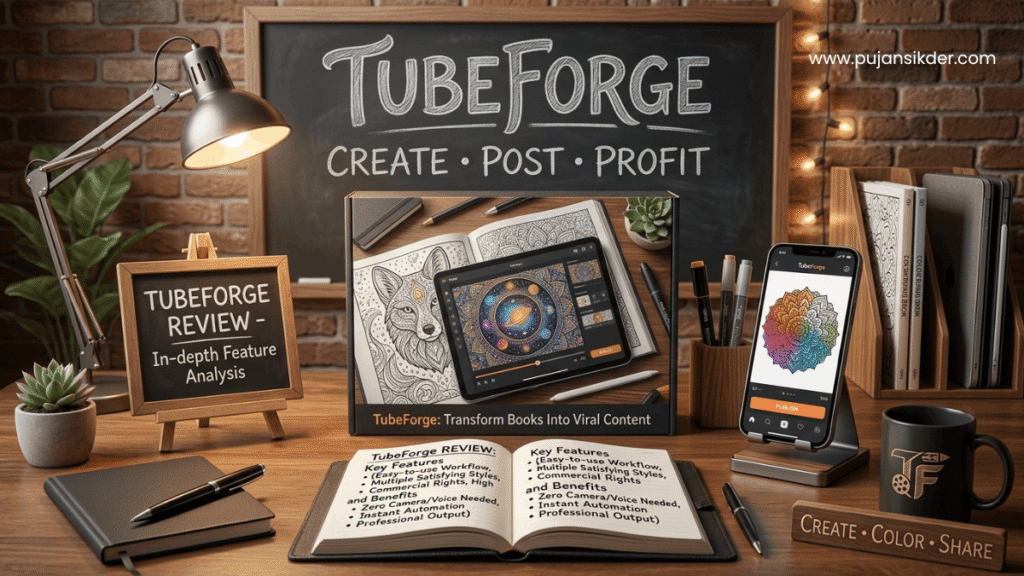
I’ve been in the KDP game for a while now, and I know exactly how it feels to spend weeks—or even months—perfecting a coloring book. You pick the perfect niche, draw every line by hand, and design a cover that looks like it belongs in a boutique. Then, you hit “Publish,” sit back, and… nothing happens. No sales. No reviews. Just a big fat zero in your Amazon dashboard. It feels like your book is stuck on a shelf in a library where the lights are turned off. If you’re tired of your books sitting invisible, you’ll want to read this TubeForge Review to see how I finally started getting eyes on my work without spending a dime on ads.
What is it?
TubeForge is a unique, browser-based software designed specifically for people who publish coloring and activity books. Most of us realize pretty quickly that Amazon’s search engine isn’t going to do all the heavy lifting for us. We need to go where the people are: TikTok, Instagram Reels, and YouTube Shorts. But who has time to set up a camera, get the lighting right, and film themselves coloring for hours?
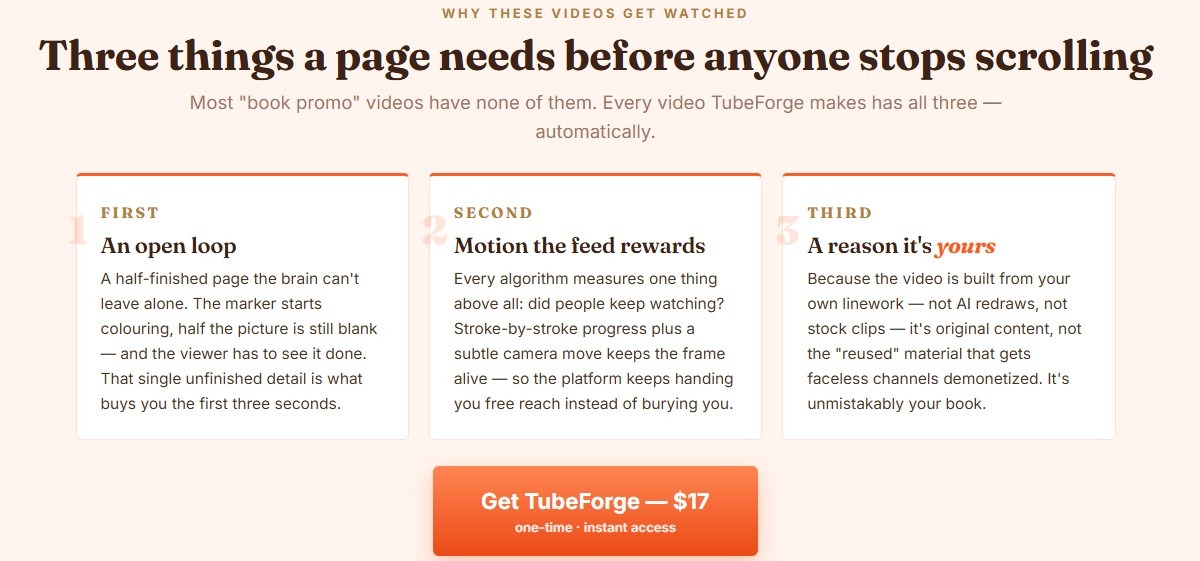
This tool changes that by turning your static book pages into “oddly satisfying” videos. It’s not an AI tool that redraws your art and makes it look weird. Instead, it takes your actual linework and animates a marker filling it in, stroke by stroke. It’s designed to create “open loops” in a viewer’s brain—when people see a half-colored page, they physically need to stay and see it finished. That’s the secret sauce that gets these videos billions of views.
How does it Work?
One of my favorite things about this software is that it runs right in your web browser—no heavy downloads or tricky installations required. The process is incredibly straightforward, even if you aren’t “tech-savvy.”
Drop Your Page: You can drag and drop a single image (PNG or JPG) or an entire PDF. If you upload a PDF, the software is smart enough to split the pages for you so you can work on them one by one.
Pick Your Style: You choose how you want the page to “come to life.” You can pick a classic marker coloring style, a rainbow sweep, or a neon line trace. You also select your background music and viral “hooks” for the top of the video.
Render and Export: You hit the render button, and the video builds right on your computer. Because it renders locally, your private artwork never even leaves your PC. Once it’s done, you download the HD MP4 file and you’re ready to post.
Overview
TubeForge was created by Thu Thao, a developer who clearly understands the “Static Shelf” problem that KDP publishers face. The software isn’t trying to be a “get rich quick” button. It’s a practical marketing tool meant to help you build an audience through motion content.
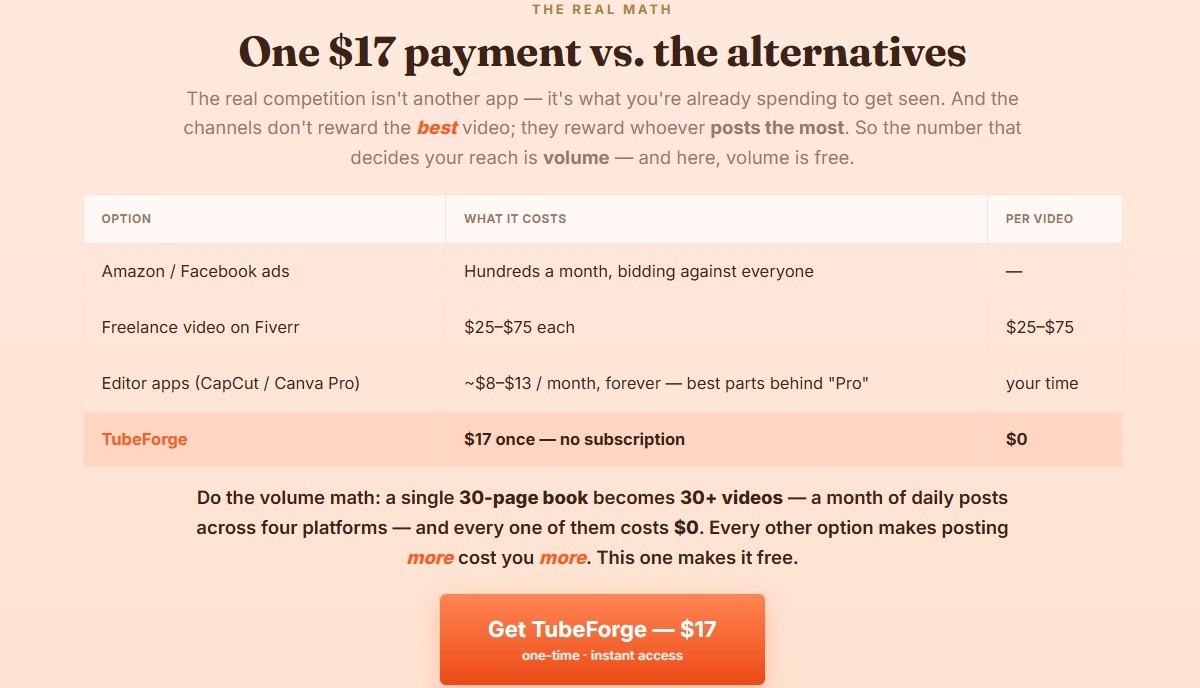
The pricing is incredibly fair—currently just a $17 one-time payment for the front-end version. Unlike Canva or CapCut, which often lock their best features behind a monthly subscription, this is a tool you own forever once you pay. It’s a breath of fresh air in a world where everything seems to require a recurring bill.

Features
For a $17 tool, TubeForge is surprisingly packed with features that help your videos stand out in a crowded social media feed.
- Satisfying Process Templates: You get the Marker Coloring, Rainbow, and Neon Line-Trace formats. These are the “bread and butter” styles that keep people watching until the very last second.
- 4 Camera Moves: To keep the video from looking flat, you can add subtle handheld motions like “Slow Push-In” or “Follow the Marker.” These “thumb-stopping” moves help convince the algorithm that your content is high quality.
- 52 Viral Hooks: If you ever stare at a blank screen wondering what to write, this is a lifesaver. It includes 13 different niches (like Spooky Season, Teacher hacks, or Self-Care) with proven text overlays you can add to your video in one click.
- Pattern-Interrupt Opener: This is a clever trick where the video briefly flashes the finished art first, then rewinds to the beginning to start coloring. It grabs attention in that vital first second of scrolling.
- Built-in ASMR and Music: The software actually generates its own copyright-free music and “marker sounds” as it renders. This means you never have to worry about copyright strikes or finding the right audio track.
Benefits
The biggest benefit I found while writing this TubeForge Review is the sheer amount of time it saves. If you wanted to make a “process” video the old way, you’d need to pay a freelancer $25–$75 for a single book trailer. With this tool, you can turn a 30-page book into a whole month of daily social media posts in about an hour.
Another huge plus is the originality. Most AI video generators “reimagine” your art, which can lead to melted lines or weird details that don’t actually match your book. TubeForge uses your exact linework. This makes your content “original” in the eyes of platforms like YouTube and TikTok, which protects you from being flagged for “reused content”.
Bonuses
When you grab the front-end version of TubeForge, you aren’t just getting a basic demo. The “bonus” value included in the base price is significant.
- Whole-PDF Import: This is a massive timesaver. Instead of uploading 30 individual images, you just drop your book file in once.
- HD MP4 Export: Your videos come out in 1080×1920 resolution with no watermarks. They look professional and are ready for high-quality upload anywhere.
- Future Updates: The developer has committed to providing all future updates to the front-end app for free.
- 50 Video Renders: You get 50 renders included with your one-time payment. Since one page equals one video, that’s enough to promote two full 25-page books from start to finish.
Who needs it?
If you are a KDP coloring book publisher, this tool is almost a necessity in today’s market. Organic reach on Amazon is harder than ever, and ads are becoming too expensive for many small publishers.
However, it’s also great for:
- Etsy Digital Sellers: If you sell digital coloring pages, these videos are perfect for Pinterest pins.
- Teachers: You can create fun “reveal” videos for classroom activities.
- Faceless Content Creators: If you want to run a “satisfying” or ASMR-style channel without showing your face or using your voice, this is the perfect engine for your content.
What can be done with it?
The possibilities are actually broader than just “coloring.” I was surprised to find that it works remarkably well for Word Searches and Crosswords. Because each letter or cell is an “enclosed white area,” the software can “color” them in square by square, creating a very cool-looking puzzle-solving video.
You can also use the “Pin Colors” feature to handle characters or people. If you have a character with a specific skin tone or hair color, you can “pin” those colors so they stay consistent while the rest of the page uses random, satisfying colors. This prevents the “green face” problem that can happen with purely automatic coloring.
Customer perspective
From a user’s point of view, the interface is very clean and distraction-free. It feels like a tool made by someone who actually uses it. You don’t have to deal with complex timelines or keyframes like you would in professional editing software. It’s mostly just clicking buttons and watching the magic happen.
The fact that it renders in the browser but keeps files local is a huge win for privacy. I don’t like the idea of my unpublished book files being stored on someone else’s server, so knowing they stay on my hard drive is a big relief.

Is there a money back guarantee?
Yes, there is. Thu Thao offers a 30-day money-back guarantee. The policy is “no questions asked,” meaning you don’t have to jump through hoops or prove that you tried the software to get your money back. They even encourage you to email them a page before you buy if you aren’t sure if it will work with your specific art style. That kind of honesty is rare in the software world.
Pros and Cons
Pros:
- Budget-Friendly: $17 one-time fee is much cheaper than any monthly subscription.
- Privacy: Files never leave your PC.
- No “AI Mangling”: Your original linework is preserved exactly as drawn.
- Ease of Use: If you can drag a file, you can make a video.
- Copyright-Safe: Built-in music and ASMR are generated on the fly.
Cons:
- Render Limit: The front-end is capped at 50 renders. If you publish a lot of books, you’ll eventually need the “Unlimited” upgrade.
- Specific Page Types: It doesn’t work well for mazes (the whole path fills at once) or journals/text-only pages.
- Browser Specifics: You need to use Chrome or Edge if you want an MP4 file; Safari and Firefox will give you a WebM file.
FAQs
Q: Is TubeForge a recurring subscription? A: No, it is a one-time payment of $17. There are no monthly fees or hidden costs for the core features.
Q: Do I need a powerful computer to run this? A: Not really. Since it runs in your browser, as long as you can run a modern version of Chrome or Edge, you should be fine.
Q: Can I use TubeForge on my Mac? A: Yes! It is a web-based app, so it works on Mac, Windows, and Linux.
Q: Will these videos get my social media channel banned for “reused content”? A: Highly unlikely. Because the videos are built from your own original artwork, they are considered original content, not borrowed or stock footage.
Q: What if I have a 100-page book? A: The front-end includes 50 renders. For a 100-page book, you would likely want the “Unlimited” upgrade ($47 one-time) so you can render every page without a cap.
Conclusion
At the end of the day, your books deserve to be seen. You’ve already done the hard work of creating them; now you just need to give them a little “motion” so the world can find them. I hope this TubeForge Review has shown you that marketing doesn’t have to be expensive or time-consuming. For the price of a few cups of coffee, you can turn your static library into a content-generating machine. If you’re ready to stop being invisible and start getting the traffic your art deserves, this is a tool worth checking out.
Affiliate Disclosure: This review contains affiliate links. If you click on one of these links and make a purchase, I may receive a small commission at no extra cost to you. This helps support my work in bringing you honest and detailed product reviews. I only recommend products that I believe offer real value to my readers.