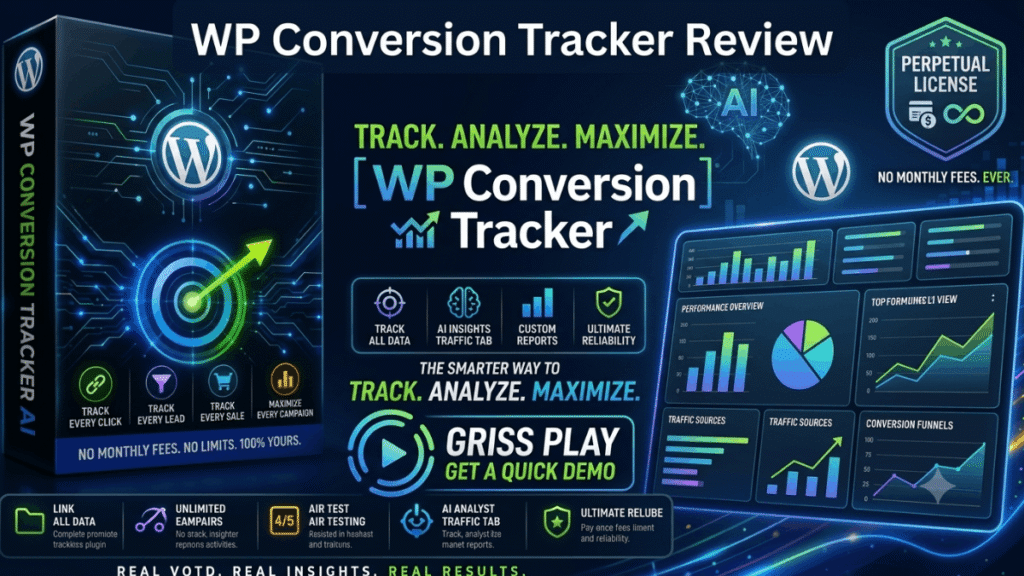
if you have ever felt like you are throwing money at ads and just hoping something sticks, you are not alone. Most of us start our online journey by guessing which links people click and which ones actually lead to a sale. I recently got my hands on a tool that claims to end that guessing game once and for all. In this WP Conversion Tracker Review, I am going to walk you through my personal experience with this software, how it fits into your workflow, and whether it is actually worth your time and money.
What is it?
WP Conversion Tracker is a specialized software designed to live right inside your WordPress dashboard. It is not just another link shortener; it is a full-blown tracking engine. The main goal of this tool is to show you exactly where your money is coming from. It tracks every click, lead, and sale you generate across your marketing campaigns.
Unlike many other tracking tools that charge you a monthly “rent” to use their servers, this one is self-hosted. This means you own the data and you own the software. It was created by Kevin Fahey, a marketer who has been in the game since 2007, so it is built by someone who understands the daily grind of affiliate marketing.
How does it Work?
The beauty of this tool is its simplicity. Since it is a WordPress-based system, you do not need to be a coding genius to get it running. Once you install it, you start by creating “tracking links” for your different offers. Whether you are promoting a product on JVZoo, WarriorPlus, or your own store, you use these links instead of the raw affiliate URLs.
As traffic starts flowing through those links, the software’s AI-powered engine goes to work. It records every interaction. If someone clicks, you see it. If that click turns into a lead, you see it. And If they eventually buy, the system logs that sale. It even offers native tracking for popular platforms like JVZoo and WarriorPlus, making the setup much faster than old-school trackers. You can even set up “rotators” to send traffic to different pages to see which one performs better.
Overview
Here is a quick “at a glance” look at what you are getting with this software:
- Product Name: WP Conversion Tracker (often bundled with WP Sync)
- Niche: Affiliate Marketing / Software / Tracking
- Creator: Kevin Fahey and Neil Napier
- Platform: WordPress
- Key Function: Tracking clicks, leads, and sales with split-testing capabilities
- Price Range: $17 for the Core version up to $67 for the Pro Bundle (during launch)
- Guarantee: 14-Day Money-Back Guarantee
Features
The feature set here is focused on one thing: data. In this WP Conversion Tracker Review, I want to highlight the tools that actually move the needle for a business.
- Full Funnel Tracking: It does not just stop at the click. It follows the user through your leads and final sales.
- Split Testing: You can test two different landing pages against each other. The software tells you which one converts better so you can stop wasting traffic on the loser.
- Link Rotation: If you have multiple offers in the same niche, you can use one link to rotate between them.
- Native Platform Integration: It has built-in tracking for WarriorPlus and JVZoo, which are the bread and butter for most affiliate marketers.
- Audience Vault Upgrade: This is a huge feature that can turn your tracked clicks into 12 different “ready-to-mail” audience segments.
- Self-Hosted Privacy: Your customer data stays on your site, not on a third-party server where it could be leaked or sold.
Benefits
The biggest benefit of using this tracker is that it stops the “leaks” in your business. Many marketers lose money because they do not know their numbers.
By knowing exactly which email or which ad produced a sale, you can double down on what works and cut out what doesn’t. You also get to escape the “monthly bill” trap. Most tracking services charge $29 to $99 every single month. WP Conversion Tracker is a one-time payment during its launch phase, which can save you thousands of dollars over the next few years.
Bonuses
While the software itself is the main attraction, the launch period usually includes some heavy-hitting additions. One of the standout “bonus-style” upgrades available in the funnel is the Audience Vault.
The Audience Vault is designed to take the data your tracker collects and make it useful. Instead of just seeing a list of clicks, it segments those people based on their behavior. This allows you to send very specific follow-up emails to people who showed interest but didn’t buy yet. Having this level of segmentation is usually reserved for very expensive high-end tools, but you can get it here as part of the initial launch offers.
Who needs it?
If you are an affiliate marketer, this is almost a requirement. You cannot grow a business if you are flying blind. It is also perfect for:
- Email Marketers: To see which subject lines and links are actually making money.
- Blogger/Content Creators: To track which articles are driving the most affiliate revenue.
- Media Buyers: If you are spending money on Facebook or Google ads, you need to know your ROI immediately.
- Product Creators: To track how your own sales funnels are performing.
What can be done with it?
There are some really clever ways to use this tool to increase your profits. For example, you can capture every buyer from your affiliate promotions and sync them to your own autoresponder. Usually, when you make a sale on JVZoo or WarriorPlus, the platform keeps the customer’s email. With this tracker and its integrations, you can build your own “Buyers List” automatically.
You can also use the split-testing feature to optimize your bridge pages. If Page A has a 20% opt-in rate and Page B has 40%, you just saved yourself half your traffic costs by simply switching to Page B. That is the power of having a WP Conversion Tracker Review mindset—looking at the data to make better decisions.
Customer Perspective
From a user’s point of view, the interface is clean and doesn’t feel overwhelming. A lot of tracking software looks like a 1990s spreadsheet, but this feels modern and integrated with the WordPress environment I already know.
The best part is the “set and forget” nature of it. Once your links are created, the software just runs in the background. You can check your stats once a day or once a week and see exactly how much money you have made without having to manually export CSV files or mess with complex code.
Is there a money back guarantee?
Yes, there is. The product comes with a 14-Day Money-Back Guarantee. This is important because it lets you install the plugin, set up a few links, and see the data flowing for yourself without any risk. If you find that it doesn’t fit your workflow or you just don’t like it, you can get every penny back within that first two-week window.
Pros and Cons
Pros:
- One-Time Fee: No monthly subscriptions like Zapier or other trackers during the launch.
- Data Ownership: Your leads and customer info stay on your own site.
- Ease of Use: If you can use WordPress, you can use this.
- Powerful Segments: The Audience Vault makes retargeting easy.
Cons:
- Requires WordPress: You must have a WordPress site to use this plugin.
- Launch Scarcity: The one-time price is only available for a limited time before it potentially moves to a subscription model.
FAQs
Q: Is WP Conversion Tracker hard to set up? A: Not at all. It is a standard WordPress plugin. Most people can have their first tracking link live in under 10 minutes.
Q: Do I have to pay every month for this? A: If you grab it during the launch window, it is a one-time payment. After the launch, it may move to a yearly or monthly fee.
Q: Does this replace my autoresponder? A: No, it works with your autoresponder. It tracks the clicks and moves the data into your email list.
Q: Can I use this for WarriorPlus and JVZoo? A: Yes, it has native tracking built-in specifically for those two platforms.
Q: Why should I read a WP Conversion Tracker Review before buying? A: Reading a review helps you understand if the tool fits your specific business model and if you have the right setup (like WordPress) to make it work.
Conclusion
In the world of online marketing, data is king. If you don’t know your numbers, you don’t have a business—you have a hobby. This WP Conversion Tracker Review has shown that you don’t need to spend $100 a month to get high-level tracking data.
By moving your tracking inside your own WordPress site, you save money, protect your data, and get the insights you need to scale your affiliate commissions. If you are ready to stop guessing and start growing, this tool is a very solid investment.
Affiliate Disclosure: This post contains affiliate links. If you click through and make a purchase, I may earn a small commission at no additional cost to you. I only recommend products I believe provide genuine value to my readers. Thank you for supporting the site!